Skip to content
LegalAI Space

DOCUMENT REVIEW

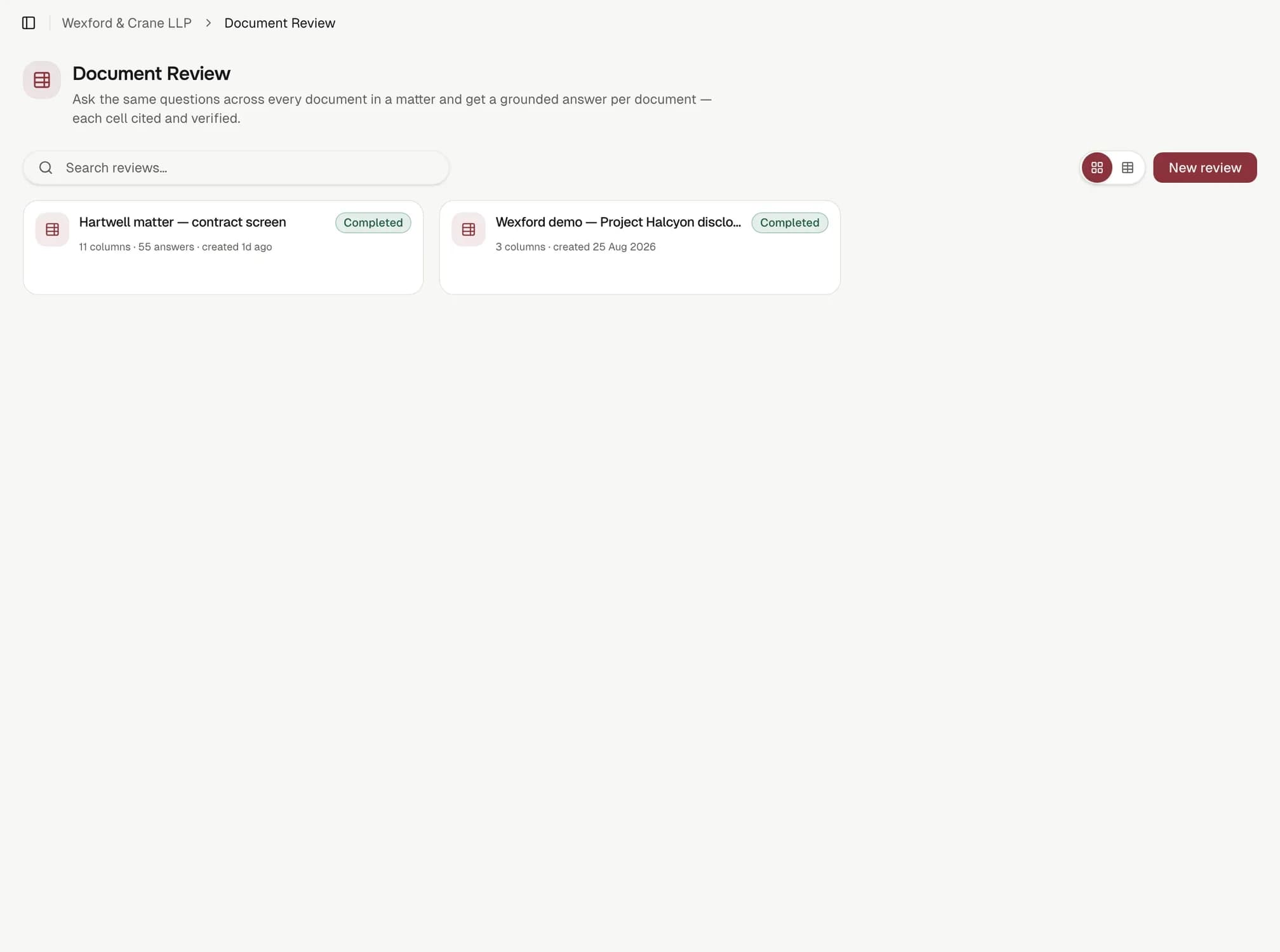
Fifty contracts, one question, one grid.

Documents down the side, your questions across the top. Every cell answers from the document itself, with the passage it came from and a link straight into the document.

DocumentGoverning lawTermReturn of information
NDA: Counterparty A
Verified

"This Agreement is governed by English law."

VerifiedNeeds a check
NDA: Counterparty BVerifiedVerifiedNeeds a check
NDA: Counterparty CVerifiedVerifiedNeeds a check

A Document Review grid cell open, showing its verified quote.

5

playbooks that ship with the product: NDA, MSA, M&A due diligence, Lease abstraction, Employment.

14

column presets with their own answer shape, from governing law to liability cap.

1

click to open a cell's source panel: the quote, the chip, and a link into the document.

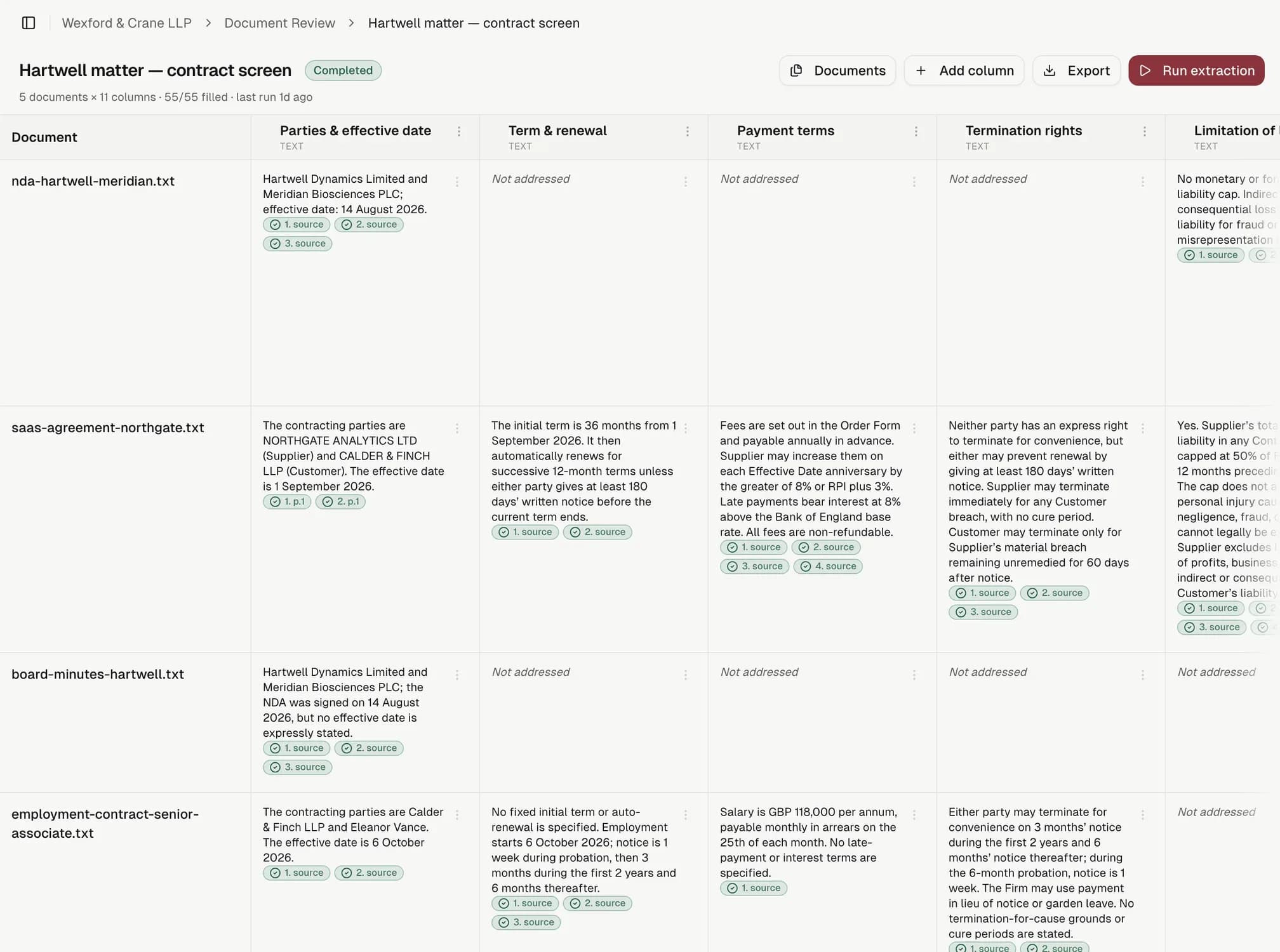
Every cell shows its working

Click any answer and the source panel opens: the cited quote, a chip that says verified against source, and a control to open the document at that point. A cell with nothing to say reads 'not addressed' rather than filling the box with something plausible.

Read how verification works
DocumentGoverning lawTermReturn of information
NDA: Counterparty A
Verified

"This Agreement is governed by English law."

VerifiedNeeds a check
NDA: Counterparty BVerifiedVerifiedNeeds a check
NDA: Counterparty CVerifiedVerifiedNeeds a check

A cell's source panel, with the quote and its verification chip.

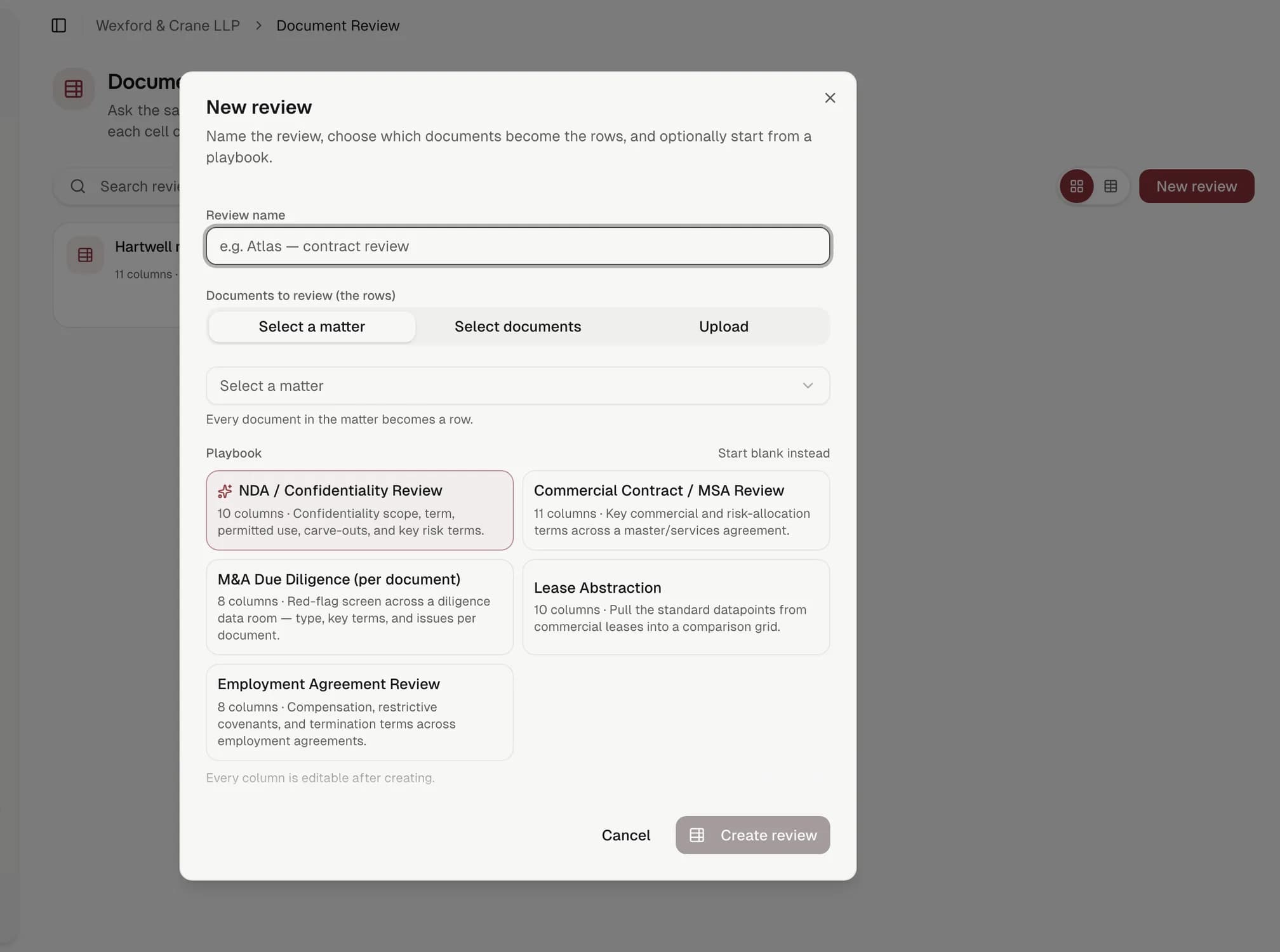
Start from a playbook, not a blank grid

NDA and Confidentiality Review, Commercial Contract and MSA Review, M&A Due Diligence, Lease Abstraction, Employment Agreement Review. Add your own columns, or save your firm's own playbook once and reuse it.

See the agents
DocumentGoverning lawTermReturn of information
NDA: Counterparty A
Verified

"This Agreement is governed by English law."

VerifiedNeeds a check
NDA: Counterparty BVerifiedVerifiedNeeds a check
NDA: Counterparty CVerifiedVerifiedNeeds a check

Five seeded playbooks, each expanding to its column list.

Scope, retry, export

Choose the scope before you start: which documents, which columns. If individual cells fail, retry those cells rather than the whole review, and export the finished grid with its citations intact.

Read the governance page
DateEventResult
02 SepRun completedVerified
02 SepClient share createdVerified
01 SepConflict checkNeeds a check
Exportable as CSV, or as a printable inspection bundle with a content digest.

A scoped review with two cells retried after a failed check.

How it works

  1. 01

    Choose the playbook

    NDA, MSA, due diligence, lease abstraction or employment, or start from a blank grid.

  2. 02

    Add the documents

    Fifty contracts, one data room, or a handful of leases.

  3. 03

    Run the grid

    Every cell answers from its own document, with the passage it came from.

  4. 04

    Retry and export

    Retry only the cells that failed, then export the grid with its citations.

What it does not do

  • The Document Review grid is included on Pro (BYOK), Premium and Business. Free and Starter use the standard agent catalogue.
  • A cell that cannot answer says so rather than guessing; 'not addressed' is a correct answer, not an error.
  • It reviews the documents you upload; it does not read a document library it has not been given.

Related

Questions this page provokes

Run a playbook over five of your own agreements.

Book a 20-minute walkthrough and we will run the NDA or MSA playbook on documents you choose.